

You’ve been able to plan routes for trips, adventures, or workouts using Locus Map for many years now. In addition to the route planner in the Android app, we added the ability to draw routes on our website several years ago. And when iOS entered our little world, it was clear that planning would also be possible on iPhones. So recently, we equipped Locus Map Lite with the first version of the route planner, which we’ll now introduce.
How does it work?
It’s pretty much the same as the Android version or the website, except for a few minor differences in the controls.
Turn on the planner
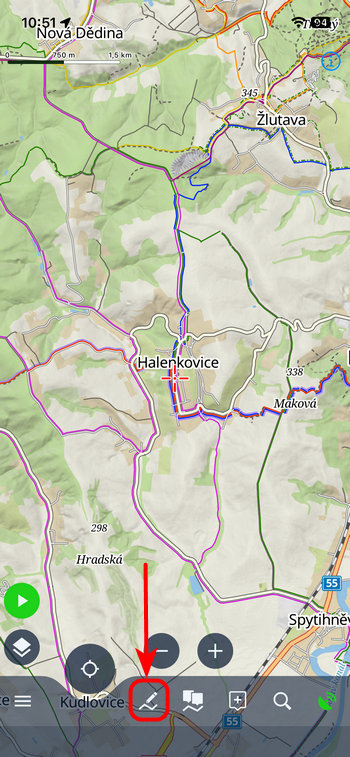
If you need to plan a route from start to finish, open the route planner—either from the bottom bar or the main menu.
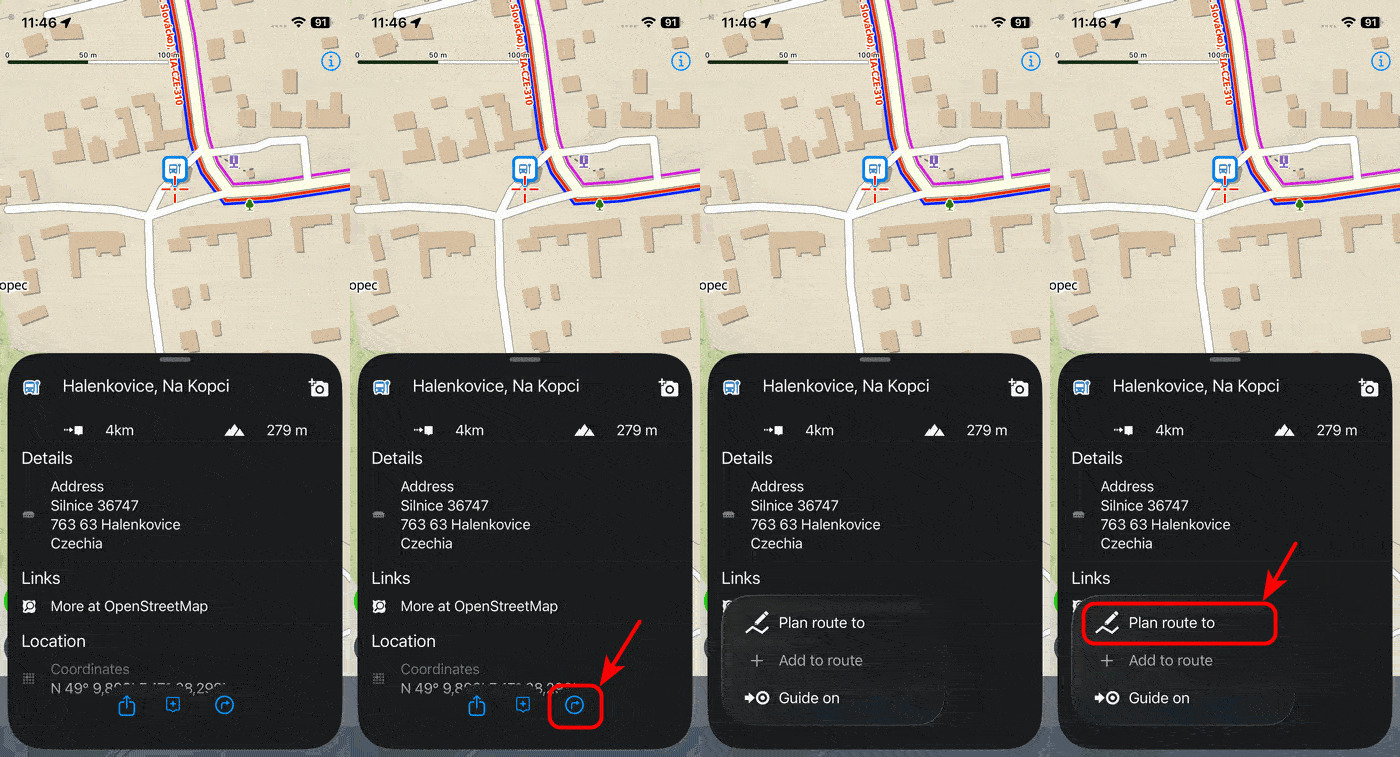
If you just need a quick route to a specific location (LoPoint or any location on the map), tap it and select “Plan route to” from the menu in the bottom bar.
Select an activity or mode of transportation
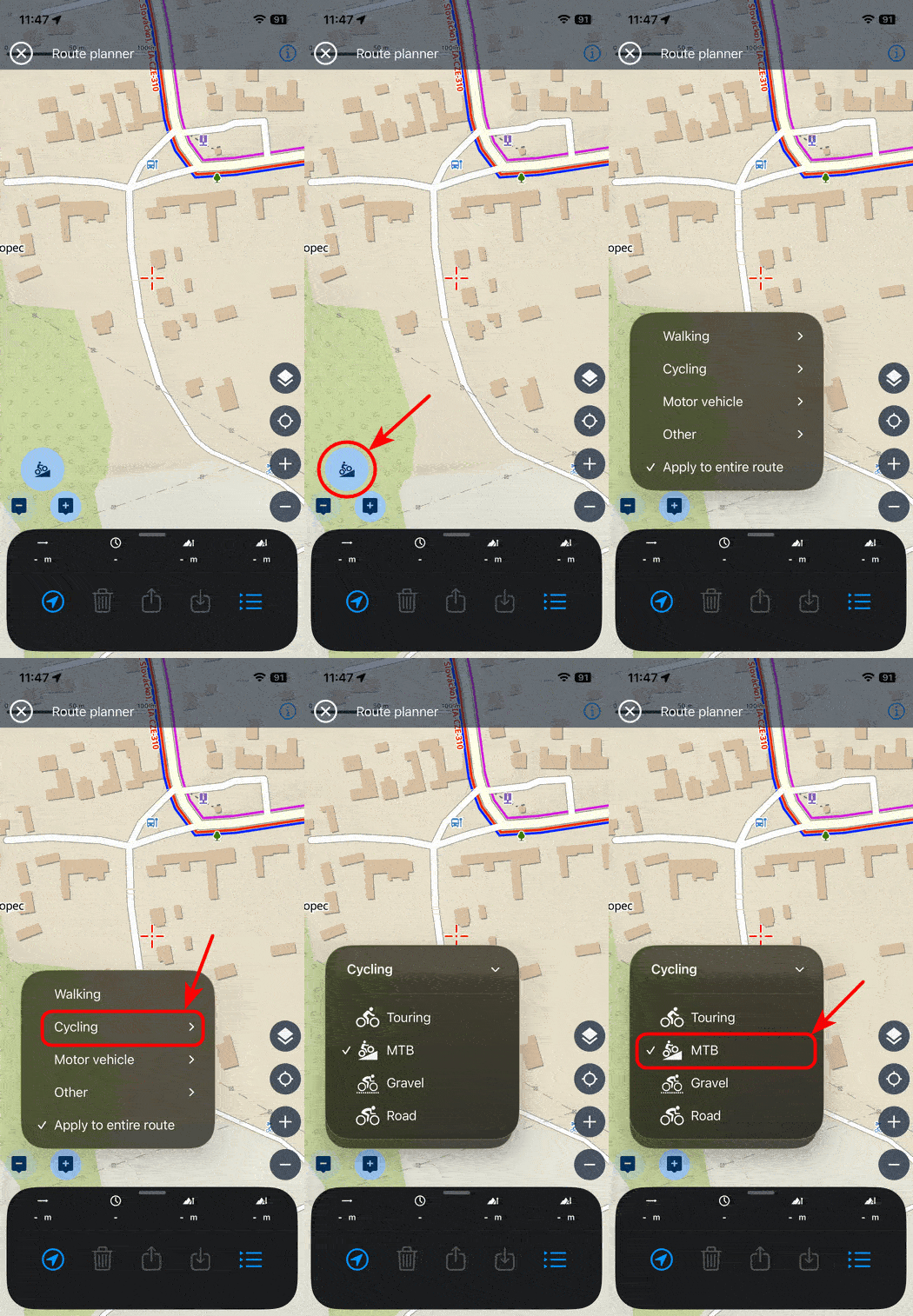
Tap the profile selector button and select from the router’s menu. It’s the same as on the website, except that some specific parameters are missing for now. You can choose whether the profile will be active for the entire route or just the upcoming segment.
Draw a route
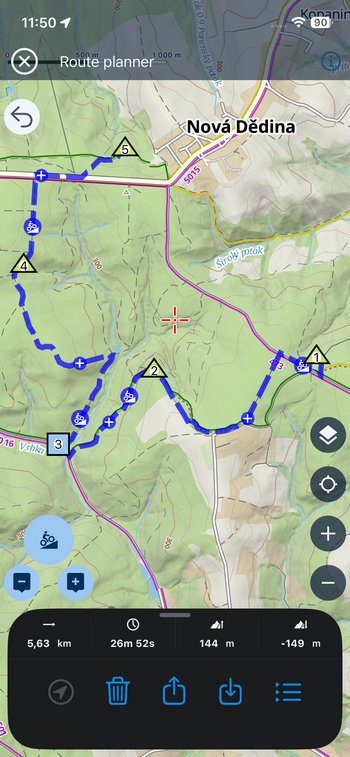
You create a route by adding waypoints, either using the buttons or by tapping directly on the map with your finger. Please note that, unlike on Android or the web, you need to long-press on the map. Simply tapping the map won’t add a route point. The route is plotted along roads and trails based on the selected activity. For now, this feature only works online, but we’re working hard on further development.
The planner distinguishes between shaping points and via points. While shaping points only determine the path of the route, via points are fixed and the route will not skip them during recalculation. They usually also contain additional information—for example, you can create them by adding LoPoints to the route.
Edit
Route points are organized into an itinerary, where you can reorder or delete them. On the map, you can move route points (again, by holding down). You can also modify the route by moving segment points:
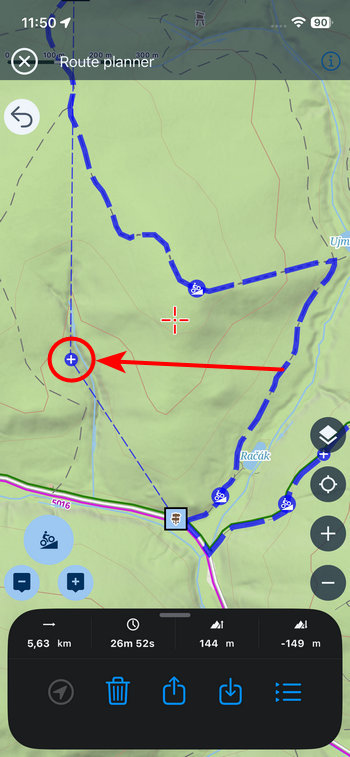
You can delete shape points directly on the map as well. Of course, you can undo or redo any action.

Save
After planning your route, save it to your library. If you have a Premium subscription, it will sync with your online library, where you can edit it further or view it on your computer’s large screen.
Winter Bonus
The route planner isn’t the only new feature in the Lite version. For your cross-country skiing trips in areas without cell service, we’ve launched offline winter LoMaps. Just download a regular summer LoMap. Once you switch the map to winter mode in the map manager, the map will be displayed even when you don’t have a signal.
The winter map shows marked cross-country ski trails, downhill ski runs color-coded by difficulty, and trails for snowshoes and snowmobiles.
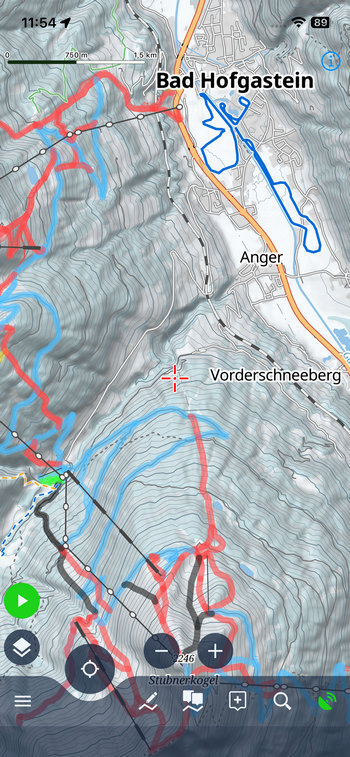
What’s next?
You can rest assured that we’re doing everything we can so that one day we can remove the word “Lite” from the app’s name and consider it a full-fledged counterpart to Locus Map on Android. We’ve even recently hired a new iOS developer to join our team for this very reason! However, we still need to add a lot of functionality before we can shed the “Lite” label. With the in-app planner, we’ve filled another major gap. The logical next step will be to add support for full-fledged navigation and, eventually, broader map support. Please let us know in the comments which feature you miss most in the app!
iOSLocus Map LITEroute plannerwinter maps


0 Comments