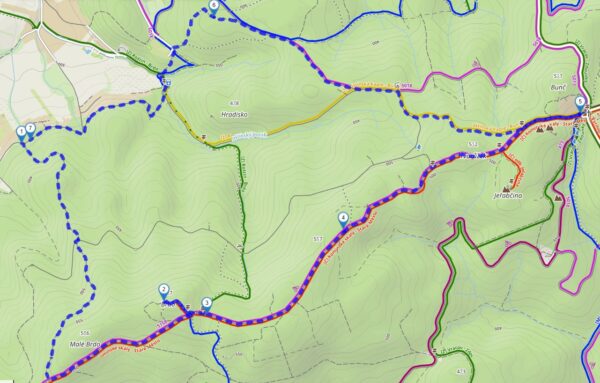

Spring is just around the corner, and with it comes the urge to get outside—whether it’s for a bike ride, a hike in the mountains, or your first weekend trip with friends. And for everyone who loves to plan together, we’re introducing several important new features in the route planner web.locusmap.app. You can now share your planned route with anyone— simply, quickly, and without restrictions. We’ve replaced the map engine for faster and smoother performance. Plus, we’ve added login method management directly in your user profile.
More major updates to our mobile apps are just around the corner, but we didn’t manage to release them before the start of spring, so you can look forward to them throughout April.
Share your planned route with a single click
You know how it goes—you plan a great route and want to quickly send it to your friends so they can take a look and tell you what they think. Until now, that meant exporting the route and forwarding the file. Now it’s much easier.
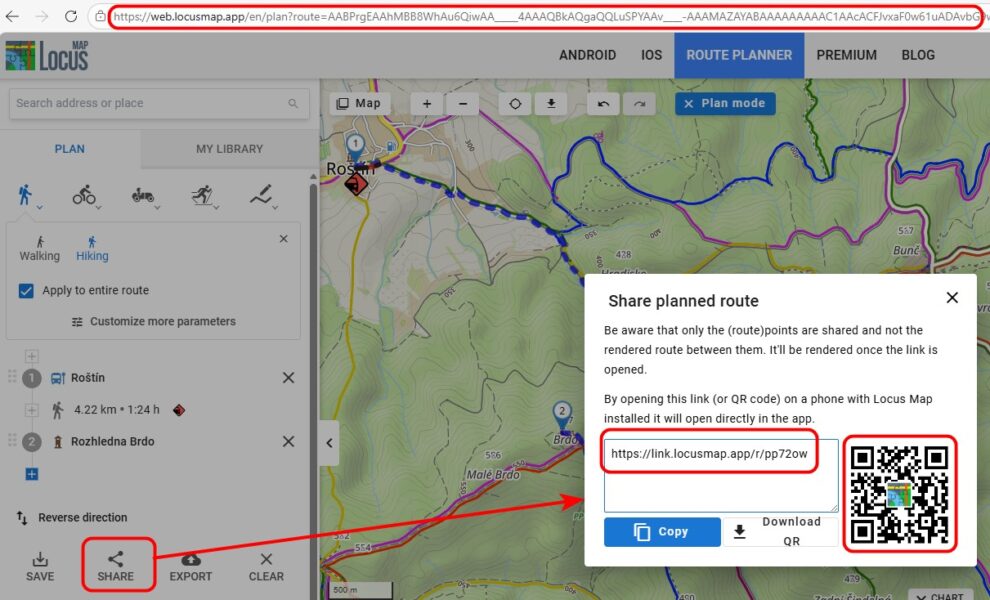
You can now share a link to a planned route directly from the web planner, even without saving it. Just plan the route and send the link. The recipient can open it in a browser or directly in the mobile app, view the route, elevation profile, and details—all completely free, with no Premium subscription required.
Important note: The shared link transfers the route points you’ve clicked on, as well as all router settings and selected profiles—including any custom adjustments. The recipient will thus see the route exactly as you planned it, with all parameters included.
Three ways to share
You can share your route in three ways — choose the one that works best for you:
- Shortened link — generate a short URL that’s perfect for sharing in chat, email, or on social media.
- QR code — Each planned route has its own unique QR code. Just scan it with your phone, and the route will open immediately in your browser or in the app.
- Full URL from the address bar — copy the link directly from your browser.
Who can benefit from this?
Route sharing is perfect for anyone planning group trips. All it takes is for one member of the group to plan the route—the others can simply open it via a link and view it, even if they don’t have a Premium subscription. No need to send files or deal with complicated settings.
Imagine a typical situation: you’re planning a weekend hike with friends. You open web.locusmap.app, plan your route, send the link to a group chat—and in no time, everyone is looking at the same map and sorting out the details. Simple.
Smoother map performance
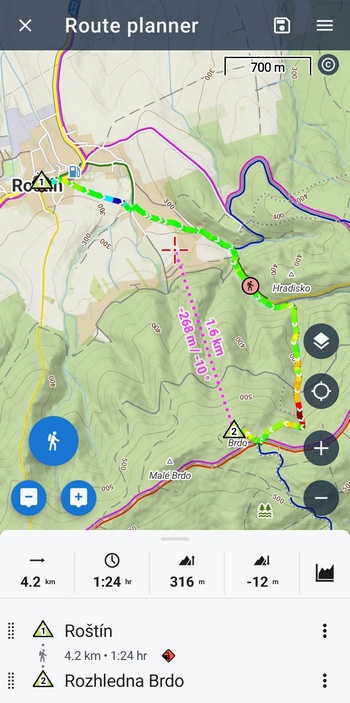
A lot of work has been going on behind the scenes of the web planner—we’ve replaced the entire core of the map application and switched to the MapLibre platform. What does this mean for you, the users?
- Panning and zooming on the map is now much smoother and more responsive
- The app can handle much more user-generated content on the map—up to 100,000 points or 100 routes
- In the future, the system will allow for the addition of more maps—whether our own LoMaps or maps from other providers. We are currently developing a vector map and detailed terrain shading, and you may even see a 3D view in the future.
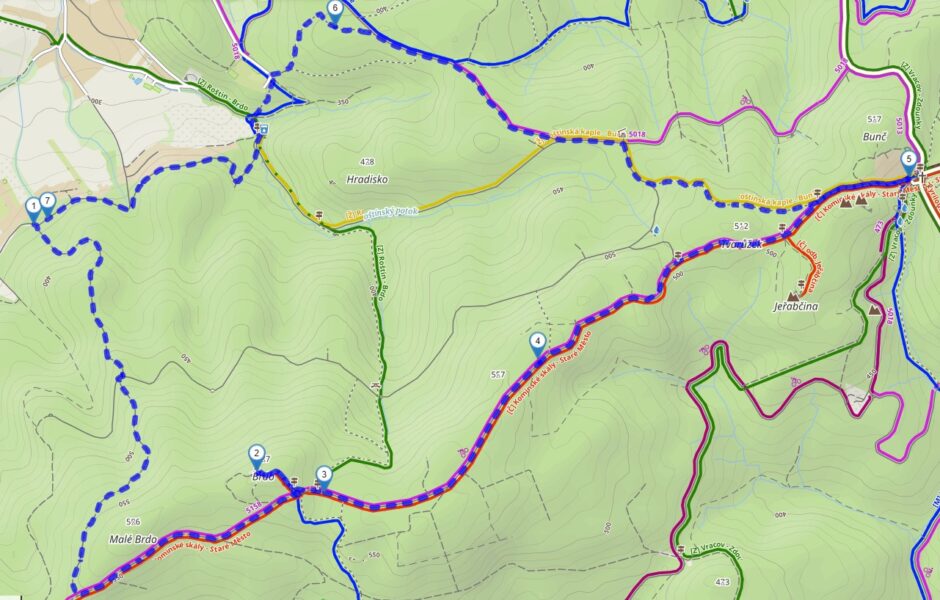
We’ve also adjusted the style of the planned route so that it’s more visible on the map. Now you won’t confuse it with the bike paths:
Manage login methods
The second update concerns your user account. You can now add or change your login method for your Locus Map account directly in your profile settings.
Do you sign in with Google and want to add email and password sign-in as well? Or would you like to add Apple sign-in to your existing account? Now you can—and it only takes a few clicks.
What exactly can you configure?
- Add a new login method — for example, link a Google or Apple account to your existing login.
- Change the email address for the account you’re logging into using the email/password method.
- Manage existing methods — all in one convenient place.
You can find the login methods settings in user profile settings — click on your profile icon in the top right corner.
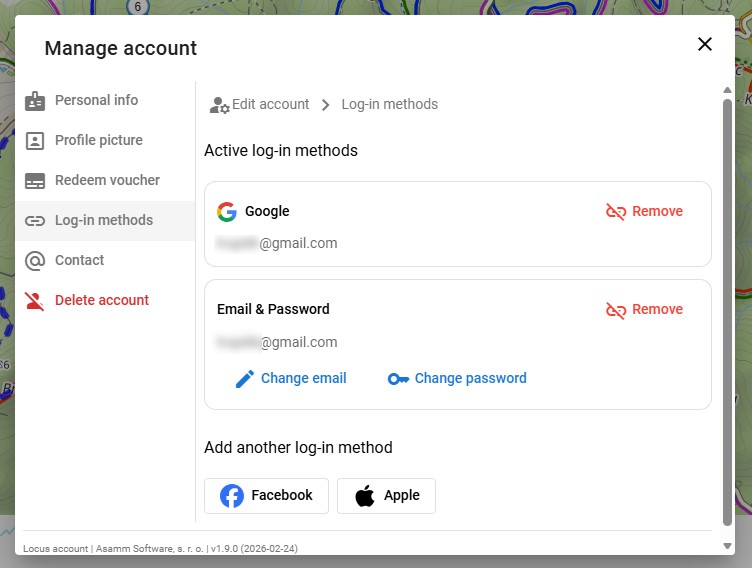
You’ll especially appreciate this improvement when you switch phones, switch platforms, or want to be sure you can always access your account—no matter what service you’re using at the moment.
Try out the new features today
Both new features are now available at web.locusmap.app. Open the route planner, plan your first spring route, and share it with your friends—either via a link or a QR code.
We’d love to hear your feedback—let us know what you think of the updates!
androidloginnew releasenewsShareuser profilewebweb planner


33 Comments
Hi. Great to see these improvements for web version of service. There is one thing though which is still missing and critical for me. Ability to sort filter gc POIs by their attributes. To give the example: with tens of thousands geocache points in one folder i can either select them manually one by one or all of them. Without sorting per distance status etc manual is not an option but showing all if you are interested in one specific area only is overkill for a browser and memory. I tried it yesterday again and it took few minutes to have them all enabled which also ate 3 gb memory. This would be a game changer for me when planning trips with searching geocache along the trail. Do you even consider it at all?
Thanks
Hi Pawel,
our plan is to get the web planner and its features as close to the mobile app as possible, given the options available on the web. Sorting and filtering points is definitely in the pipeline but it is now difficult to declare when exactly they will be implemented. Thanks for your patience.
Could be interesting but the website does not work with Firefox...
Hi, that is interesting, because it works on our PCs with Firefox...
Also on mine
With update there always have to be downgrade ;-).
1. Statshunter addon for chrome does not work anymore. Every other route planner is working fine.
2. Can you add feature which was removed. In the past I was able to hover my mouse over a route and there was an information dialog poping out with basic route info ie. name distance etc. It's gone now...
Hi Krzystof,
1) we have already contacted StatsHunters developer for cooperation. This requires his action now.
2) there has never been a onhover displaying a popup above a route on the web. Only clicking the route/track displays its details.
Hmm, ok, maybe I remember it differently. Eitherway now everything is blue and when I plan new track it's confusing. Allow us at least to set up our own colour or make it anything other than blue. Existing tracks are blue, tracks when planned are blue, that's downgrade IMHO, allow for some degree of customization.
Planned route line is dashed so it's perfectly recognizable. Selected route segment is orange, saved route in the planning mode is black which is quite distinguishable from the dashed blue of the planned route. Custom colors are still on our to-do list though, so please be patient.
Saved route in planing mode is blue, it's black only when I clik it. If I go back to parent folder it becomes blue again.
Furthermore when I have saved tracks visible (on blue) and I'm planning new route which follows same path as saved track dashed line is not visible as it's blue. When I clik on saved route it becomes black and dashed line goes under it and you can't see route which you're planning. Can't add images here but if you need proof I can send you.
So having dashed line is not enough, but having dashed line in say magenta colour which is always on top of other elements would do the job.
Hi, the Statshunter has been updated and it works with web.locusmap.app again.
Locus 3 must stay alive, we will haunt you guys forever. You just did too good software:-)
Hi,
Locus Classic is available at Google Play for the current users at a direct link https://play.google.com/store/apps/details?id=menion.android.locus.pro (version 3.70.17). If you want updates, visit our public repository at https://bit.ly/lmVersions.
A kdy už konečně půjde sdílet složku s trasami? Vždyť většina akcí je vícedenních a sdílet každý den zvlášť je otravné a nepřehledné. U placené aplikace by ten vývoj mohl být trochu svižnější.
Dobrý den, máme to v plánu zprovoznit tento rok. Snad se nám to, vzhledem k počtu lidí v našem týmu, podaří zrealizovat.
Thank you.
Hi Locus team,
in the recent version of your online planning tool POI symbols are way to big and block the tracks below. Is there any way to hide them?
Could you please place this question on our helpdesk at https://help.locusmap.eu and send a screenshot?
Hi Michael, thx, will do.
L'application que j'utilise depuis des années après avoir eu oruxmaps. Un truc que j'appréciais sur oruxmaps, le zoom avec les boutons de volume. Très facile surtout quand il pleut. Ce serait top de retrouver cela dans votre super app. Merci
Hi Benoit, controlling map zoom with volume buttons is of course possible - go to settings > controlling > map screen - use hardware controllers - select "Locus Map".
What happened to the feature that shows the coordinate grid? I used to keep it active while viewing my map, but recently after turning it off, the control to show/hide the grid disappeared from the map menu and even from entire app...
Schön wäre es wenn auch die gemachten Bilder in der Web Version zu sehen sind. Damit man den Standpunkt später besser zuordnen kann und einen Button wo man direkt die Koordinate von dem Punkt kopieren kann. Dann wäre die App perfekt
Dobrý den,
potřeboval bych vysvětlit jak fungují vlastní ikonky u mnou vytvořených bodů v mapě. Přidám je do uložených bodů, vidím je na telefonu, ale na webové mapě je nevidím (mám předplatné gold). Rád bych je exportoval tak, abych mohl trasu poslat někomu dalšímu a viděl tam ty moje ikonky taky. Je to možné, nebo dělám něco špatně že mi to nefunguje?
Předem moc děkuju za odpověď
Dobrý den, vlastní ikony bodů se zatím s webem nesynchronizují. Synchronizují se pouze ikonky z knihovny, která jsou k dispozici v aplikaci i na webu.
Dobrý den, děkuji za odpověď. Ty systémové ikonky se ale taky nesynchronizují. Resp. synchronizují se ikonky pouze podle složek, takže když mám na telefonu body ve složce každý s jinou ikonkou, tak na webu je u všech bodů jen ikonka nadřazené složky. Nebo něco dělám špatně?
Ozvěte se nám prosím na https://help.locusmap.eu, ať neblokujeme vlákno pod článkem o novinkách. Díky.
Leider werden die Aufgezeichneten Tracks in der Bibliothek in der Web-Oberfläche nur noch als schwarze Linie dargestellt und nicht wie seither mit dem abgespeicherten Linienstil
Hi Michael, the track line style synchronization is now under development. Hopefully it will be implemented soon.
Route exporting has not been working for several days.
After clicking, the following message is displayed:
"Sorry, exporting planned route failed. Please, try again later."
Hi, the issue has been fixed, please reload the page.